Why 2026 changes watermarking rules
The landscape of content authenticity is shifting from voluntary best practices to mandatory compliance. As of August 2026, the European Union’s AI Act will enforce strict transparency requirements for generative AI outputs. This regulation does not merely suggest disclosure; it legally mandates that AI-generated content be clearly marked, creating a hard deadline for creators, publishers, and platforms to integrate robust watermarking infrastructure.
Beyond Europe, major technology providers are aligning their ecosystems with the Content Authenticity Initiative (C2PA) standard. Microsoft, for instance, is introducing new Cloud Policy settings in late February 2026 that automatically include watermarks when content is generated through their services. This move signals a broader industry shift where C2PA-compliant metadata is becoming the default mechanism for verifying content origin across major software suites.
The distinction between visible and cryptographic watermarking is now critical. Legal guidance released in 2026 emphasizes that while AI photo editors may alter visible appearances, the removal or modification of underlying metadata constitutes a separate, often more severe, violation of disclosure obligations. Compliance is no longer just about adding a visible logo; it is about maintaining an unbroken chain of custody through C2PA-compliant tools.


As an Amazon Associate, we may earn from qualifying purchases.
Best C2PA-compliant image tools
Embedding C2PA credentials requires software that handles cryptographic signing and metadata injection without corrupting the source file. In a regulatory environment where provenance must be verifiable, the choice of tool determines whether the content survives editing or loses its authenticity trail.
Professional workflows typically rely on industry-standard editors or specialized compliance plugins. These tools ensure that the Content Credentials block remains intact during compression, format conversion, or minor edits. Without this integration, AI-generated imagery remains indistinguishable from human-created work, leaving publishers and creators exposed to liability.
Adobe Photoshop and Lightroom remain the primary entry points for C2PA adoption. Their native support allows photographers and designers to embed credentials directly during the export process. For non-Adobe workflows, dedicated metadata tools like ExifTool or commercial suites from manufacturers like Canon and Nikon offer varying degrees of C2PA compatibility. Always verify the specific version of the software supports the latest C2PA specification, as standards evolve rapidly.
Selecting the right tool involves checking for explicit C2PA certification rather than generic "watermarking" features. Look for software that supports the C2PA Manifest format and allows for manual verification of the signature chain. This ensures that the content's history is transparent and auditable by third parties.


As an Amazon Associate, we may earn from qualifying purchases.
Video and audio watermarking solutions
Securing video and audio files requires a different approach than static images. The primary challenge lies in distinguishing between visible overlays, which act as a public declaration of origin, and invisible C2PA metadata, which embeds provenance directly into the file structure. For high-stakes content where legal compliance is mandatory, invisible watermarking is the standard for maintaining authenticity without altering the viewer's experience.
The table below compares the two dominant methods used in 2026. Visible watermarks are effective for immediate deterrence but can degrade brand integrity. Invisible C2PA-compliant markers, such as those implemented in Adobe Media Encoder or FFmpeg with C2PA libraries, persist through compression and screen recording, providing a verifiable chain of custody.
| Method | Visibility | C2PA Compliant | Primary Use Case |
|---|---|---|---|
| Visible Overlay | Visible | No | Brand protection and immediate public disclosure |
| Invisible Metadata | Invisible | Yes | Legal verification and supply chain integrity |
| Steganographic Audio | Invisible | Yes | Music rights management and broadcast logging |
Implementing these solutions requires software that natively supports the C2PA specification. Tools like Adobe Premiere Pro and DaVinci Resolve allow editors to embed signed metadata during the export process. This ensures that the content remains tamper-evident from creation to distribution, a critical requirement for news media and corporate communications.


As an Amazon Associate, we may earn from qualifying purchases.
How to verify content authenticity
Verifying AI-generated content requires checking for embedded C2PA credentials rather than relying on visual inspection. The Content Authenticity Initiative (CAI) standard embeds cryptographically signed metadata directly into files, creating a tamper-evident history of creation and editing. This metadata serves as a legal record, allowing creators and consumers to trace the origin of media assets.
To verify authenticity, use browser-based tools that support the C2PA specification. Adobe Bridge and Photoshop include a "Content Credentials" panel that displays the provenance chain for any compatible file. For web-based images, the C2PA Viewer extension for Chrome or Firefox allows users to inspect the metadata directly from the browser, revealing the source application and editing history.

Right-click the media file and open its properties or use a dedicated metadata viewer. Look for the c2pa or ContentCredentials JSON block within the file's binary data. This block contains the cryptographic hash linking the current file to its original source.
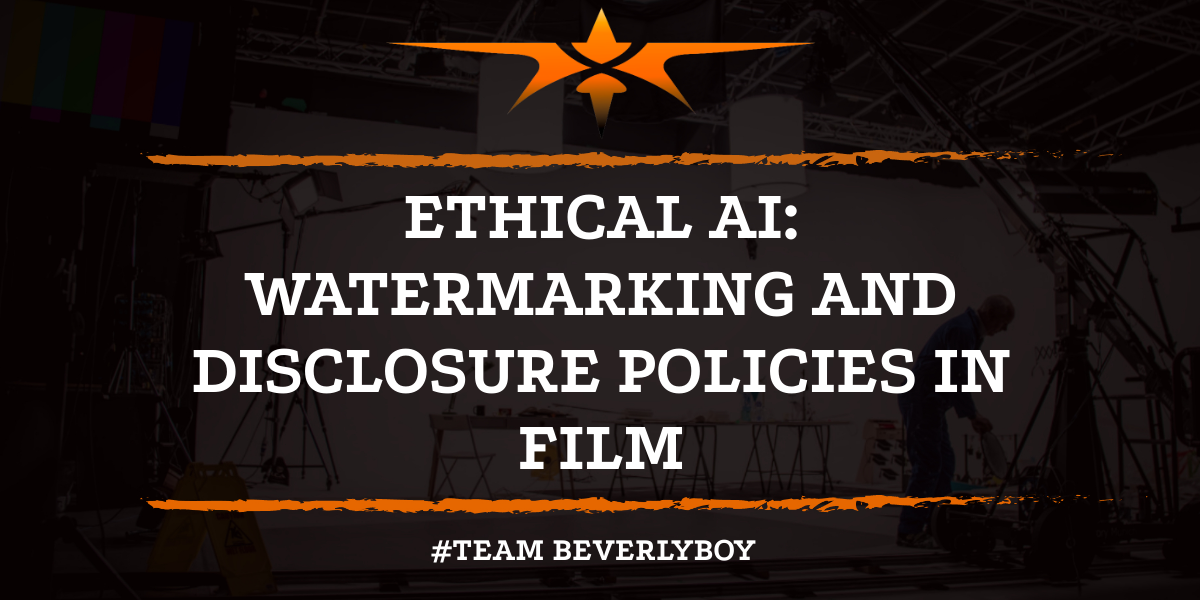
Install the official C2PA Viewer extension for Chrome or Firefox. When visiting a webpage with C2PA-compliant images, the extension will highlight the content credentials icon. Clicking this icon reveals the full provenance chain, including the creator's identity and any AI generation steps.

Open the file in Adobe Photoshop, Premiere Pro, or Bridge. Access the "Content Credentials" panel to view the detailed history. This tool verifies the cryptographic signature against the CAI root certificates, confirming whether the metadata has been altered or if the file is genuinely authentic.
For legal and regulatory compliance, always cross-reference the digital credentials with the source platform. If a file lacks C2PA metadata or the signature verification fails, treat the content as unverified. This precaution is essential in high-stakes environments where the integrity of media is critical.
Common compliance mistakes to avoid
Even with the right tools, C2PA compliance fails when human error strips the provenance chain. The most frequent violation is removing metadata during file conversion. When you save an image as a standard JPEG or PNG through basic editors, the C2PA signature block is often discarded. This breaks the chain of custody, making the content legally indistinguishable from unverified material. Always use native export functions in professional software like Adobe Photoshop or Capture One to preserve the embedded manifest.
Another critical pitfall is relying on visible, non-standard watermarks. As noted in recent legal guidance, visible overlays are easily cropped or painted over by AI tools, offering no durable proof of origin. C2PA relies on cryptographic signatures, not visual labels. Using third-party watermarking apps that do not support C2PA standards creates a false sense of security. If the metadata is missing, the watermark is legally worthless.
Finally, do not assume that AI-generated content is automatically compliant. You must actively attach the C2PA credential to the file. Simply tagging an image as "AI-generated" in a CMS is insufficient for legal scrutiny. The credential must be cryptographically signed and embedded at the point of creation. For creators managing high-volume content, using dedicated AI watermarking software that natively supports C2PA is essential to maintain integrity.



As an Amazon Associate, we may earn from qualifying purchases.
Frequently asked questions about AI watermarks
Does C2PA prevent watermark removal?
C2PA manifests embed cryptographic signatures that link content to its origin, making undetectable removal nearly impossible without breaking the chain of custody. While simple visual overlays can be cropped, the underlying metadata remains tied to the source. Tools like Adobe Content Credentials verify these signatures, ensuring that any tampering is immediately visible to platforms and users.
Is it illegal to strip AI watermarks?
Stripping C2PA metadata or visible watermarks often violates platform terms of service and emerging regulations like the EU AI Act, which mandate transparency for high-risk AI outputs. In the U.S., the C2PA standard is becoming a de facto legal requirement for content authenticity. Removing these identifiers can expose creators to liability for misrepresentation or fraud, particularly in commercial contexts.
Which tools support C2PA natively?
Major platforms have integrated C2PA support directly into their workflows. Adobe Photoshop and Premiere Pro allow creators to attach Content Credentials during export. Microsoft’s Content Credentials initiative is embedded in Copilot-generated content. For video, tools like Resemble AI and HeyGen are adopting C2PA standards to verify synthetic media, ensuring compliance with growing regulatory demands.
Do social platforms detect C2PA watermarks?
Yes, major platforms including Meta, X, and TikTok are integrating C2PA verification into their content pipelines. When a post contains valid C2PA metadata, these platforms can automatically flag or label AI-generated content. This automated detection reduces the reliance on manual reporting and helps enforce compliance with platform-specific AI disclosure policies.
No comments yet. Be the first to share your thoughts!